
Interior Design
Upload a room photo, choose a style, and generate polished design concepts for the space you already have.
AI home design from your own photos
Upload a photo and preview interiors, exteriors, gardens, and focused updates in seconds.
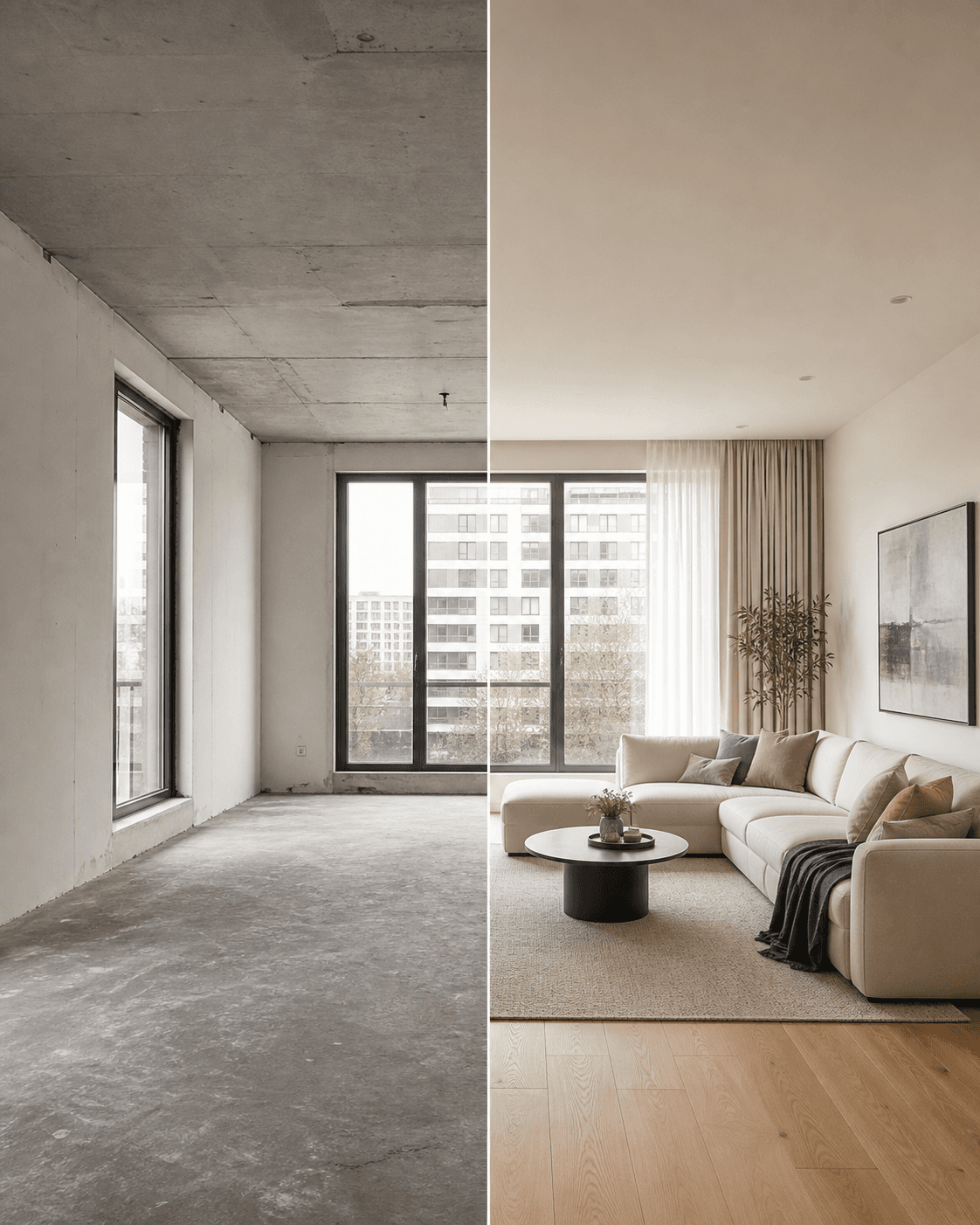
Start with your real room, not a generic inspiration image.
Work from a real photo and move from big-picture style choices to focused material changes.
Upload a room photo, choose a style, and generate polished design concepts for the space you already have.
Photograph your property and explore refreshed facades, materials, and color combinations before committing.
Turn a yard photo into multiple landscape concepts, from planting ideas to practical outdoor layouts.
Explore more than 30 popular design styles, including modern, Scandinavian, minimalist, and luxury looks.
Mark the floor and compare wood, tile, stone, and other finishes directly in your room.
Brush over an area and let AI follow object boundaries for a clean, realistic color preview.
Select walls, furniture, or other surfaces and try new materials without changing the rest of the room.
Four simple actions help you explore, compare, and discuss a renovation before work begins.
Choose an interior, exterior, or garden image from your device.
HomeGuru identifies the layout, materials, and lighting conditions.
Create realistic previews and compare several directions in one session.
Keep the concepts you like and share them with family or your project team.
Practical AI tools and a clear workflow make design visualization approachable for every homeowner.
Fast results
Designs in seconds
More choice
30+ design styles
Easy to use
No design skills needed
Realistic output
Presentation-ready previews
Questions, feedback, or partnership ideas? We would be happy to hear from you.
support@ppixels.com